
Claude Code MCP Server: Automated Infrastructure Orchestration
Connect Claude Code, ChatGPT, or Cursor to Fractera via Model Context Protocol. Manage server states, configure environments, and spin up production-ready frameworks straight from your AI conversation window.
Step-by-step: deploying via the MCP connector

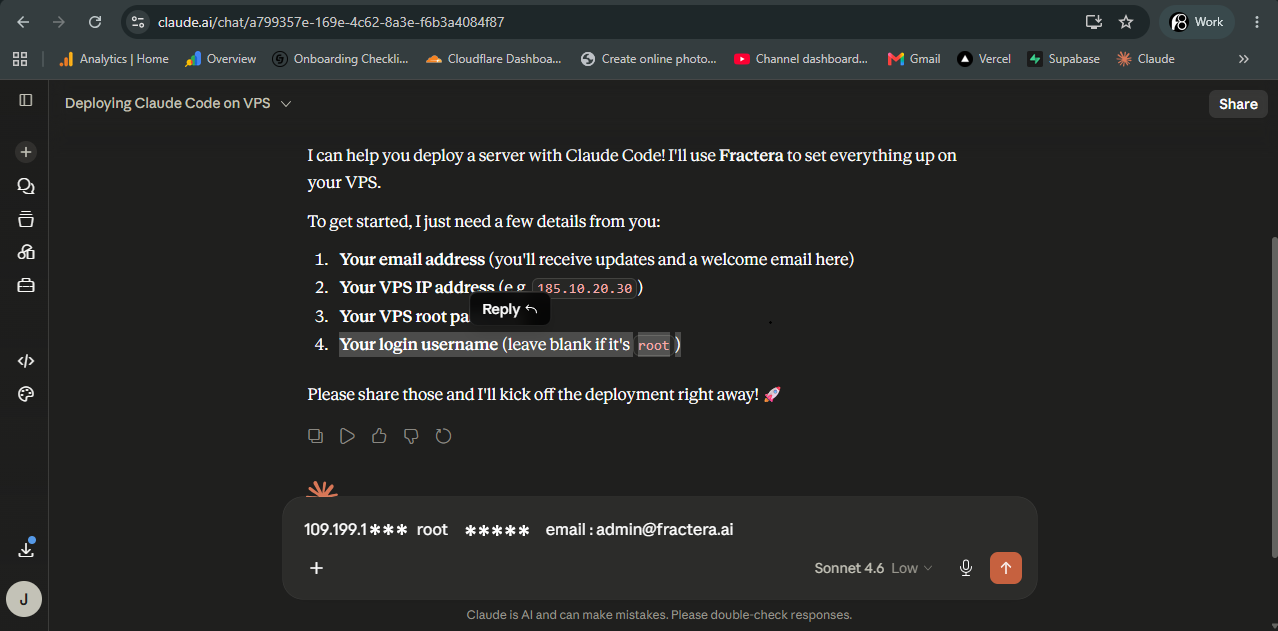
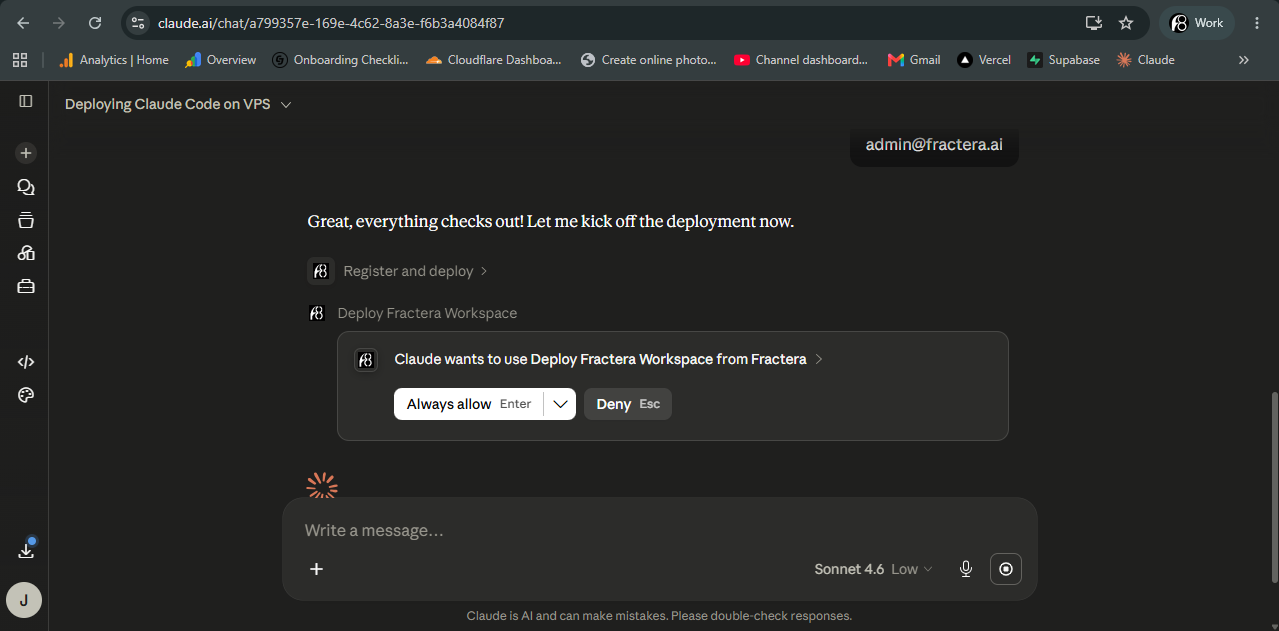
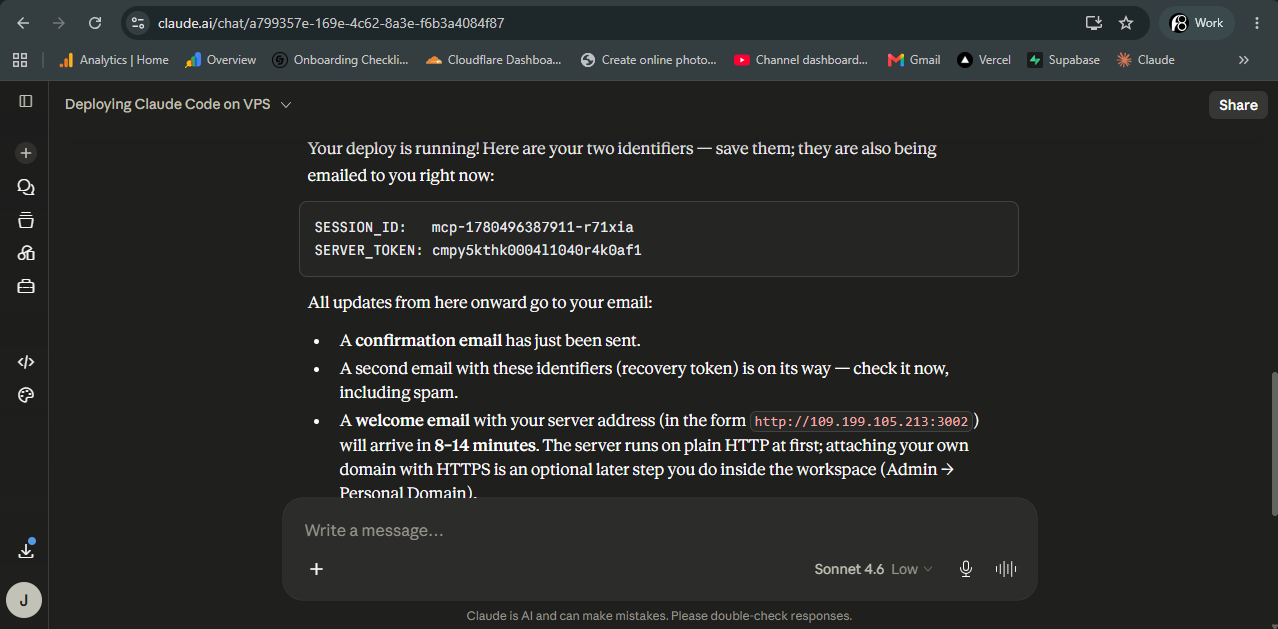
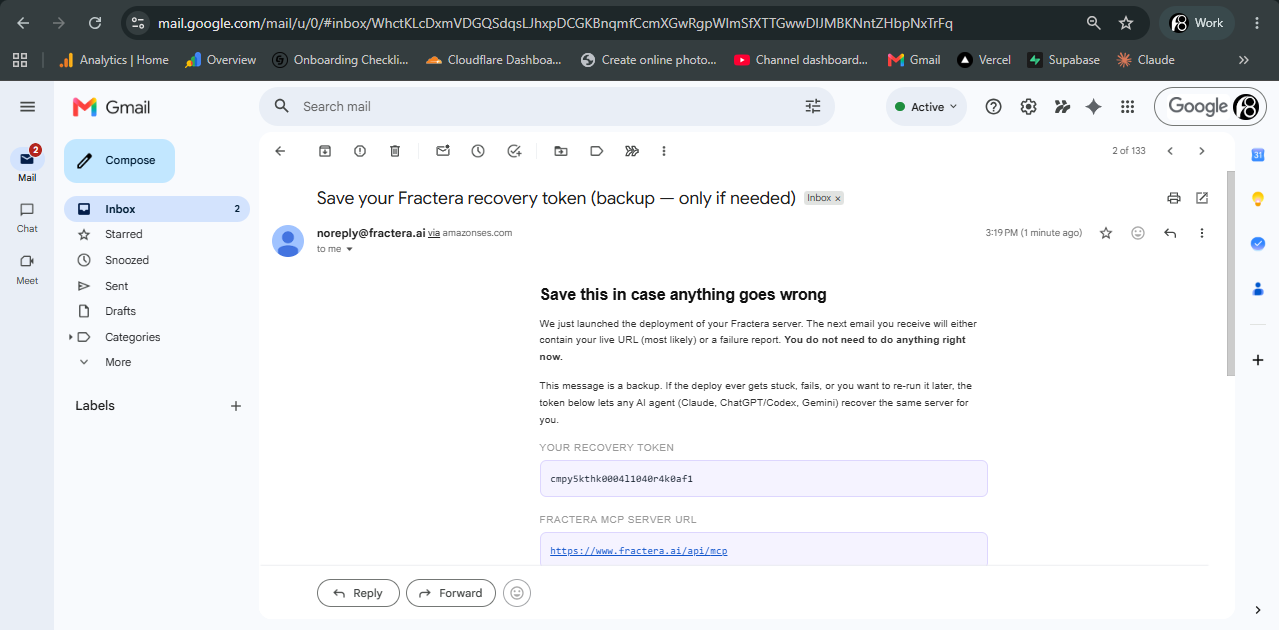
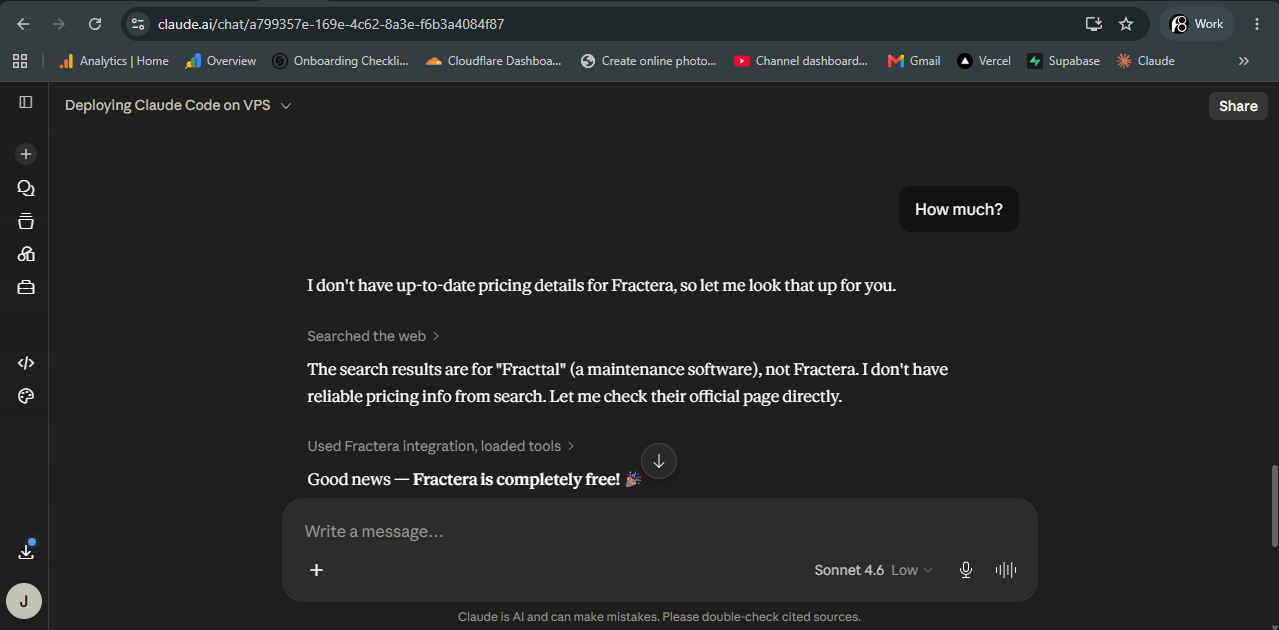
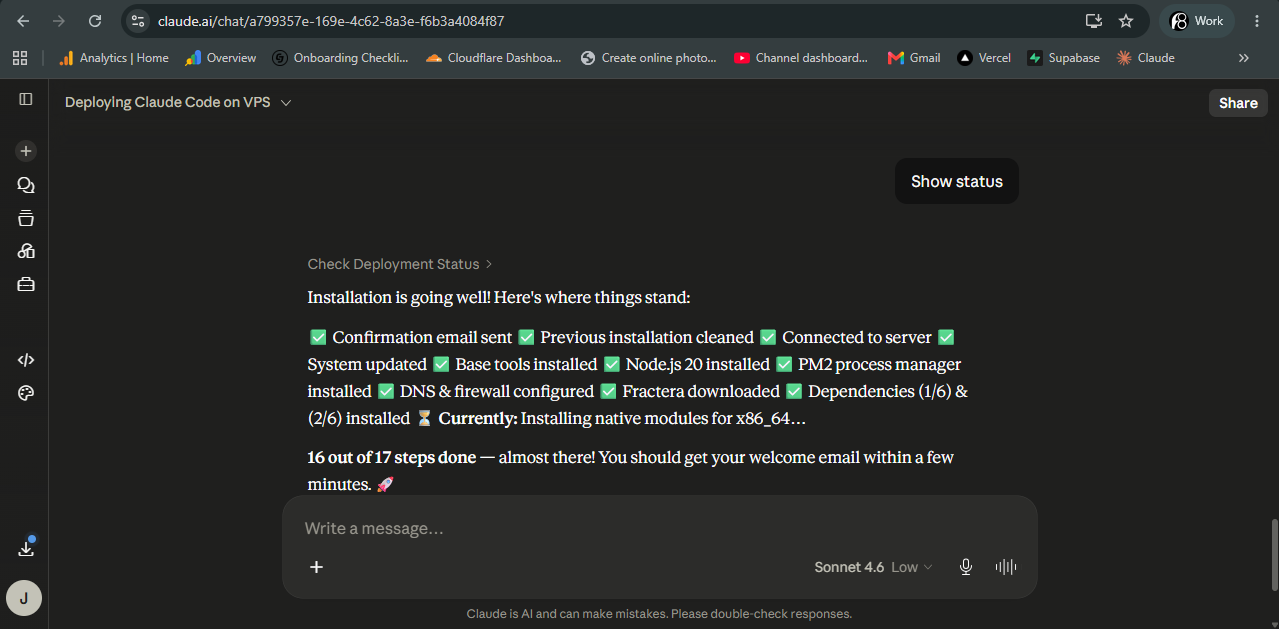
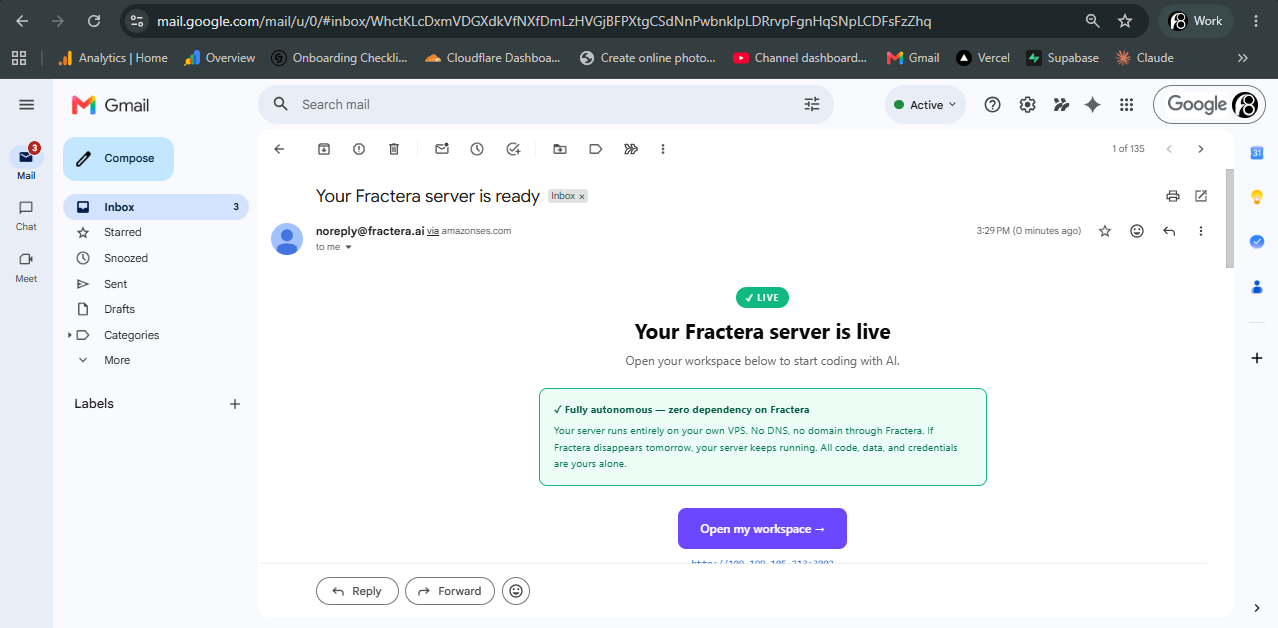
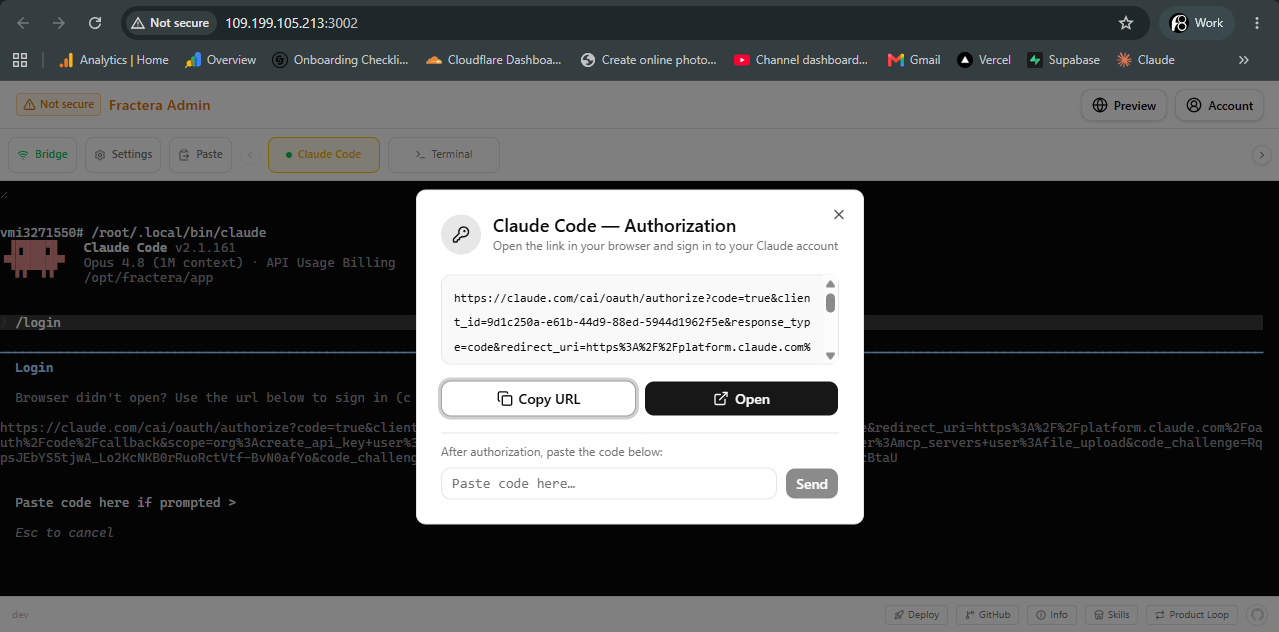
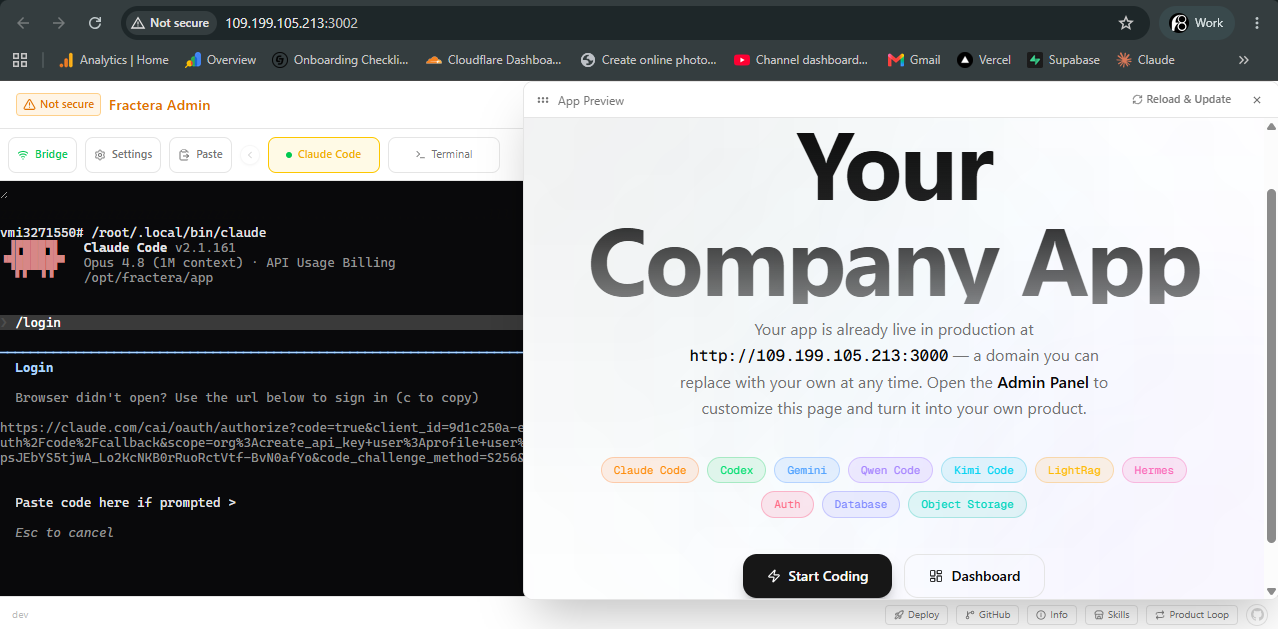
A custom implementation for deploying a server that runs Claude Code only.
Industrial agent engineering requires absolute, low-latency control over the host execution environment. Fractera implements a native platform for agentic engineering built entirely around Model Context Protocol standards. Instead of forcing an AI model to write unstable shell scripts or guess server directory trees, you supply an immutable connection bridge that executes secure, atomic operations straight on your private Ubuntu architecture.
Model Context Protocol: Shifting from Generation to Orchestration
Atomic Gateway Commands over Brittle Shell Scripts
Traditional development tools leave AI models unconstrained, letting them guess command syntaxes or run hazardous loops inside open terminal connections. Fractera enforces a deterministic framework: natural language prompts are parsed into precise, low-overhead MCP tool schemas. When you tell your chat client to verify a database connection or pull a repository, the model triggers specific protocol commands that report execution logs back with 100% architectural stability.
Eliminating DevOps Barriers Straight from Your Chat Terminal
You no longer need to manage complex environment variables, configure background PM2 daemons, or issue SSL certificates line-by-line. Your connected model reads your system parameters via the MCP channel and configures Nginx reverse proxies, routes secure credentials, and provisions database files behind the scenes. The system abstracts away the costly DevOps layer, allowing you to focus purely on engineering product logic.
Context-Aware Infrastructure Control Room
Crushing Conversational Memory Inflation at Scale
The real expense in remote development is context window inflation—the fast accumulation of old terminal outputs and directory lists that balloon your API bills. Our custom MCP architecture completely mitigates this breakdown. Because the protocol transmits pinpoint JSON parameters rather than heavy terminal histories, the model context remains entirely focused on your immediate feature task, slashing token consumption by up to 94%.
Real-Time Host Diagnostics and Database Health Checks
The integrated server endpoint acts as a live diagnostics node. Without leaving your chat window, you can instruct your model to query local SQLite write-ahead logging (WAL) metrics, analyze background CPU metrics, or trace object file storage allocations. Your conversational workspace transforms into a live cockpit that monitors and optimizes system resources on demand.
Continuous Git-Ops and Multi-Model Synchronization
Unified Cross-Model Execution Framework
The Fractera protocol bridge forms an open, standardized schema compatible across Anthropic Claude Code, OpenAI Codex, and Google Gemini CLI interfaces. It grounds different specialized models under the same technical rules. You can use Claude to run immediate infrastructure mutations and simultaneously deploy secondary branches via Codex—all synchronized through our local memory vector network.
Rapid Framework Deployment via Git-Ops Pipelines
Launching a brand-new production stack requires one command. Tell your agent to pull a public repository or trigger the 50,000-line Next.js Aircraft Carrier starter. The MCP server handles directory creation, installs dependencies, wires database nodes, and makes your site live at your target custom domain in minutes—completely hands-off.
“Managing a production server shouldn’t feel like an opaque black box. By executing atomic MCP commands instead of running unconstrained code-generation loops, Fractera provides structural stability and drives development token costs to absolute zero.”

True platform scaling isn’t about generating more lines of code—it’s about optimizing the infrastructure protocol through which that code is deployed.
 Roma ArmstrongFounder at Fractera.ai
Integrate the Fractera MCP Server
Have questions about setting up custom Model Context Protocol architectures, running multi-model orchestration loops, or securing private database nodes on your host? Let’s map out your agent infrastructure.
MCP · AI Agents
Complete Server Management via Claude Code MCP Server
Building and managing a production server through an AI agent inside your chat has never been this seamless. Connect Claude, Codex, or Gemini to the Fractera MCP server — deploy infrastructure, monitor installation, and launch new environments without leaving your conversation. You can also use the MCP server to diagnose and resolve any deployment issues directly from your AI chat.
Fractera MCP server URL
https://www.fractera.ai/api/mcp* Never used MCP before? Just copy the URL above and ask your AI agent (Claude, Codex, Gemini): "please connect the MCP server at this URL." The AI will walk you through what to click inside its own interface — setup takes no more than 15 seconds. Once connected, tell the agent: "deploy Fractera for me" or "my deploy failed, here is the server_token" — it takes over from there.
Full technical reference & security FAQ →Frequently asked questions
- How does the Fractera Claude Code MCP server lower deployment overhead?
- Standard workflows require manual shell interventions or heavy, open-ended file scanning loops that bloat your chat history. The Fractera MCP server maps infrastructure actions to deterministic JSON-RPC tool calls. Your model changes server configurations, tracks database tables, and executes builds via precise protocol steps, completely bypassing context inflation.
- Do I need a paid Anthropic subscription to run the Fractera MCP connector?
- No. If the Fractera connector is your only active custom protocol extension, you can interface with our endpoint using Anthropic’s free tier. Keeping multiple custom connectors active simultaneously requires a standard Claude Pro or Team account, which is managed directly by Anthropic—Fractera’s core system is Open Code (source-available) and free.
- What server utilities can I execute directly through the chat interface?
- The protocol bridge unlocks granular control over your host: you can clone and build any Git repository, query SQLite WAL mode database tables, inspect storage buckets, review system processes, toggle SSL setups, and instantly run live production path updates via Next.js on-demand ISR tools.