
Login Is Now Optional — One Switch, and It Costs You Almost Nothing
On our agentic engineering platform you no longer build a login — you switch it on. Off by default, so a landing page stays light; on in one move when your app needs accounts. And the buttons already speak 82 languages.
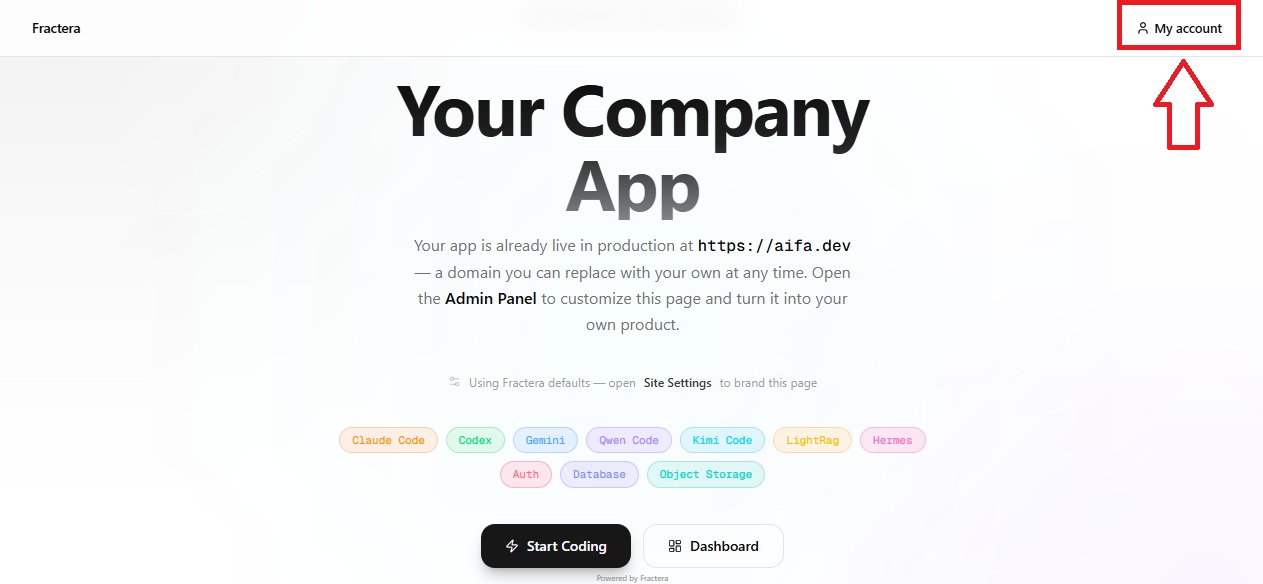
Quick but useful update. From now on, the answer to "should my app have a login?" is a single switch — and flipping it costs almost nothing. Fractera is an Agentic Engineering Infrastructure, an agentic engineering platform where AI agents build your app on your own server. Today we made one of the most basic decisions in any app — whether it has authorization at all — something you turn on or off in one move, instead of something a developer builds from scratch.
Not Every Site Needs a Login — and Forcing One Can Hurt
Here is the honest truth that a lot of tools quietly ignore: most sites do not need authorization at all. If you are building a landing page, a small "about the company" page, or a portfolio, a login is simply not needed — and it can even work against you. However well an auth system is optimized, it still takes up some of the project's resources: extra code in the page, extra weight in the browser, a little more time on every deploy. A project is lighter, cleaner and faster when it does not carry a login it never uses.
- Landing page, company page, portfolio → no login. Lighter project, faster deploy, nothing in the way of the visitor.
- Off by default → that is exactly how your app ships, so you never pay for a feature you did not ask for.
- The admin login is always there separately → turning the public login off never touches the way you manage your own app.
When You Absolutely Need It: Stores, Services, Anything With Accounts
The opposite case is just as clear. The moment your site becomes an offering — an online store, a subscription service, a delivery app — a login stops being optional. People need to sign in to track the state of their orders, keep a cart, see their history, manage a subscription. You simply cannot picture a shop without accounts. For apps like these, authorization is not overhead — it is the backbone. So the goal was never "less login everywhere"; it was the right amount of login, decided per app — and decided cheaply.
Built-In Roles: Everyone Starts as a User, and Can Become More
When the login is on, you do not get a flat "logged-in / logged-out" world — you get role-based access out of the box. By default, every registered visitor becomes a normal user. From there, depending on your app's logic — a completed purchase, a paid subscription, a staff or service function — a person can hold one of many roles:
- Access tiers (enforced): `guest`, `user`, `architect`.
- Customer-facing: `buyer`, `vip_user`, `subscriber_lite`, `subscriber_standard`, `subscriber_max`.
- Staff / operations: `manager`, `senior_manager`, `support_manager`, `delivery_manager`, `finance`, `content_editor`.
- Admin: `admin`.
A role can be granted automatically, driven by your app's settings — pay for a subscription and become a `subscriber_max`, complete a purchase and become a `buyer` — or by hand, through the admin panel, by a manager or the architect. It is the same role model the platform documents elsewhere, now wired straight into the switch. If you want the full recipe for gating a page by role, it lives next to our earlier note on multilingual auth forms.
Turn It On From the Panel — or Just Tell Hermes
There are two ways to flip the switch, and you choose whichever feels natural. The first is the control panel: open App Settings, find App Authorization, choose on or off, save. The second is voice, through an AI agent — our orchestrator Hermes, over MCP. You can literally say, "I am building a delivery service," and the agent, reading your request, decides for itself whether the app needs a login and adds it — without making you ask for it separately. The only thing it checks back on is a tiny detail: which side the account drawer should open from. That is the whole point of an agentic engineering platform — you describe the intent, the agent handles the wiring.
Why a Small Switch Is a Big Deal: Near-Zero Token Cost
This update looks small, and that is exactly why it matters. Making the login decision cost almost nothing — close to zero tokens — is a building block for everything coming next. When a capability like "should this app have accounts" is a switch instead of a build, an AI agent can stand up far more for far less. It is the same instinct that runs through the static-safe app configuration by AI work: turn a recurring decision into a clean, cheap, reusable move.
Concretely, this lets us expand the library of starter templates with minimal, near-zero token cost. Very soon you will be able to spin up an online store, a knowledge platform, and other ready-made apps the same effortless way — each one already knowing whether it needs a login and switching it on by itself. Keep an eye on the news.

A claim like "we never spent a single cent on advertising" is a sign of one of two things: a loss-making business model, or plain foolishness. Well — or a sign that what you are doing is not a business at all, but a hobby.
 Roma ArmstrongFounder at Fractera.ai
Deploy your own workspace and let an AI agent decide — login or no login — based on what you are actually building.
Deploy with AIFrequently asked questions
- Does my app come with a login by default?
- No. Public authorization is off by default, on purpose. A landing page, company page or portfolio ships with no login at all — that keeps the project lighter and the deploy faster. You turn the login on only when your app actually needs accounts. The separate admin login you use to manage the app always exists regardless.
- How do I turn the login on or off?
- Two ways. From the control panel: App Settings → App Authorization → choose on (and the side the account drawer opens from) or off, then save. Or by voice through an AI agent: tell Hermes what you are building, and it decides whether to add authorization and switches it on for you. It is a build-time setting, so applying it triggers a quick rebuild.
- What roles do users get?
- When the login is on you get role-based access out of the box. Every registered visitor starts as a normal user. Depending on your app logic — a paid subscription, a completed purchase, a staff function — a person can hold one of many roles (guest, user, architect, buyer, vip_user, subscriber_lite/standard/max, manager, senior_manager, support_manager, delivery_manager, finance, content_editor, admin), assigned automatically by your settings or by hand in the admin panel.
- Do I need to translate the login buttons myself?
- No. The buttons tied to authorization — sign in, account, sign out — already ship translated into 82 languages, chosen idiomatically per language rather than word-for-word. Whatever language you pick for your app, the translation already exists and simply waits for you to switch the login on.